Reports take too long
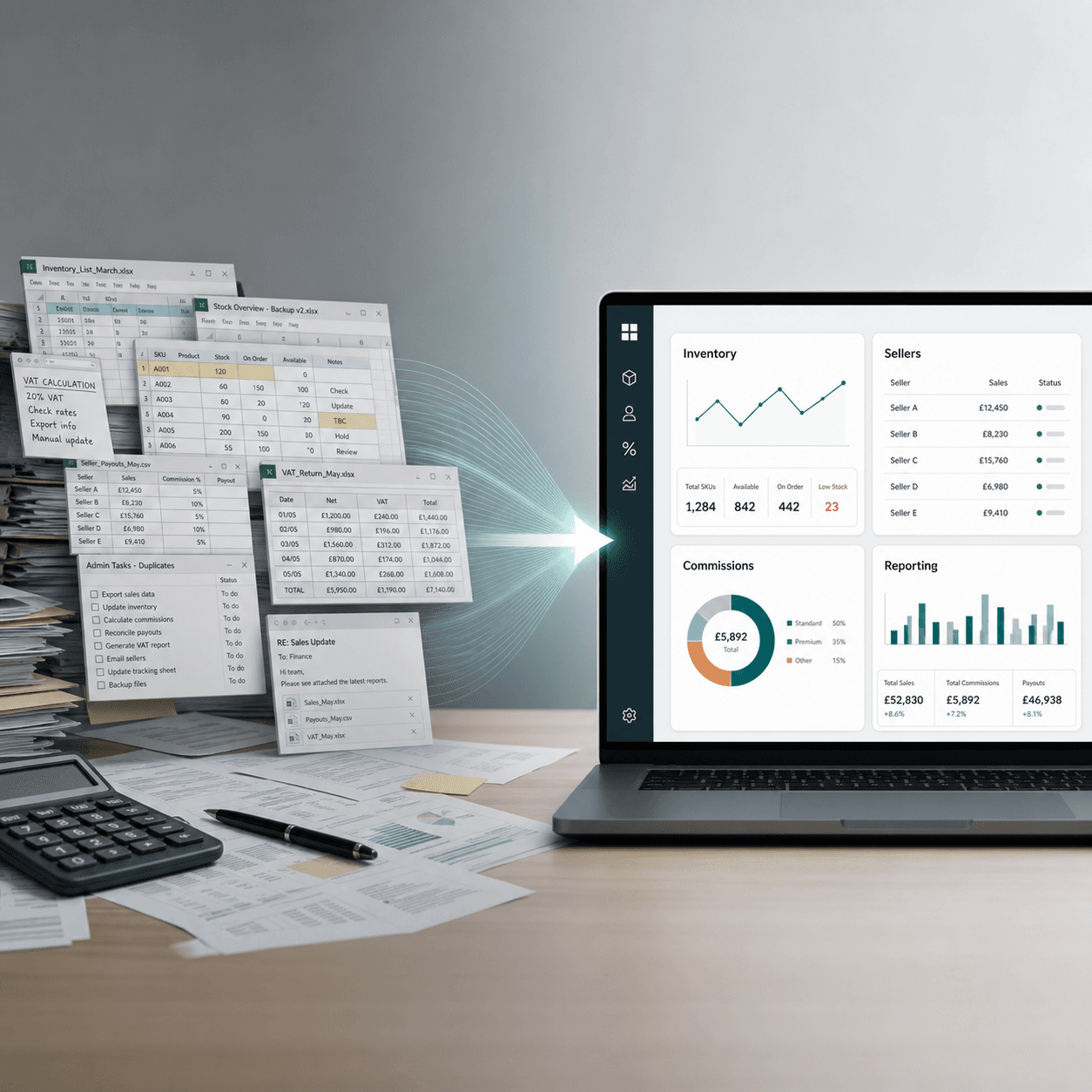
Leadership waits while the team rebuilds numbers from spreadsheets, folders, inboxes, and side systems.
Analytics cookies
We use Google Analytics to understand which pages are useful and how visitors find us. We only load it if you accept.
Company OS
When reports take too long, numbers need checking, and too much sits in people's heads, Belscar builds the Company OS: one trusted way for the team to run the work, see what matters, and act sooner.

Where it starts
Leadership waits while the team rebuilds numbers from spreadsheets, folders, inboxes, and side systems.
Different teams hold different versions of the truth, so confidence drops before decisions are made.
Critical process knowledge depends on a few individuals rather than a system the team can repeat.
More sales, stock, clients, orders, or projects create more admin rather than more control.
What it is
It is not another dashboard or a generic platform. It is the practical layer that connects how work moves, who owns it, where the data lives, and how leadership sees what needs attention.
Workflow: how work moves from request to result
Ownership: who is responsible for each stage
Data: one trusted source of operational truth
Reporting: live views for leadership and teams
AI support: summaries, alerts, and checks where they are useful
Before and after
The point is not replacing spreadsheets for the sake of it. The point is reducing the friction that stops the business seeing clearly, deciding quickly, and scaling with confidence.
Manual updates
Structured workflows
Version confusion
One current operating view
Reports rebuilt weekly
Live reporting rhythm
Key-person dependency
Repeatable team process
AI experiments
AI support tied to trusted data
Case study
Luxe Cheshire replaced spreadsheet-led customer, order, stock and reporting work with Consignmate, their Company OS. Historic data was live from day one. The leadership team gets a daily AI report: what is working, what is not, and what to do next.
Read the full case study"I would immediately say don't hesitate. It's completely transformed our day to day business understanding and it's built specifically for your business."
Guided demo
This demo is not a client system. It is an example of the type of Company OS interface Belscar can build: executive reporting, workflow views, operational records, alerts, owners, and next actions. The live demo is access-controlled and usually shown during the 20-minute call, so the walkthrough can stay relevant to the way your business actually works.
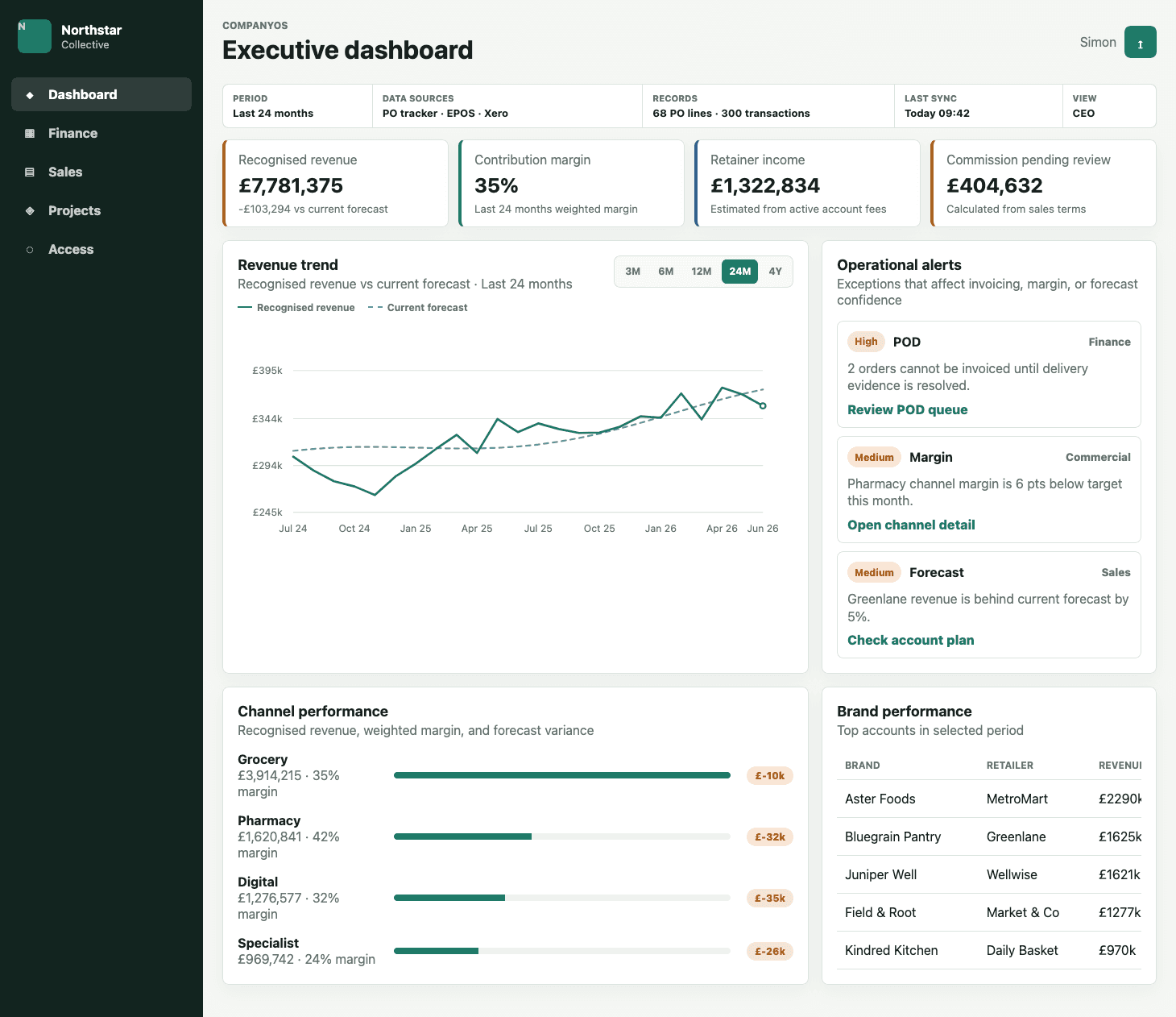
One operating picture: performance, alerts, data sources, and leadership-ready reporting.
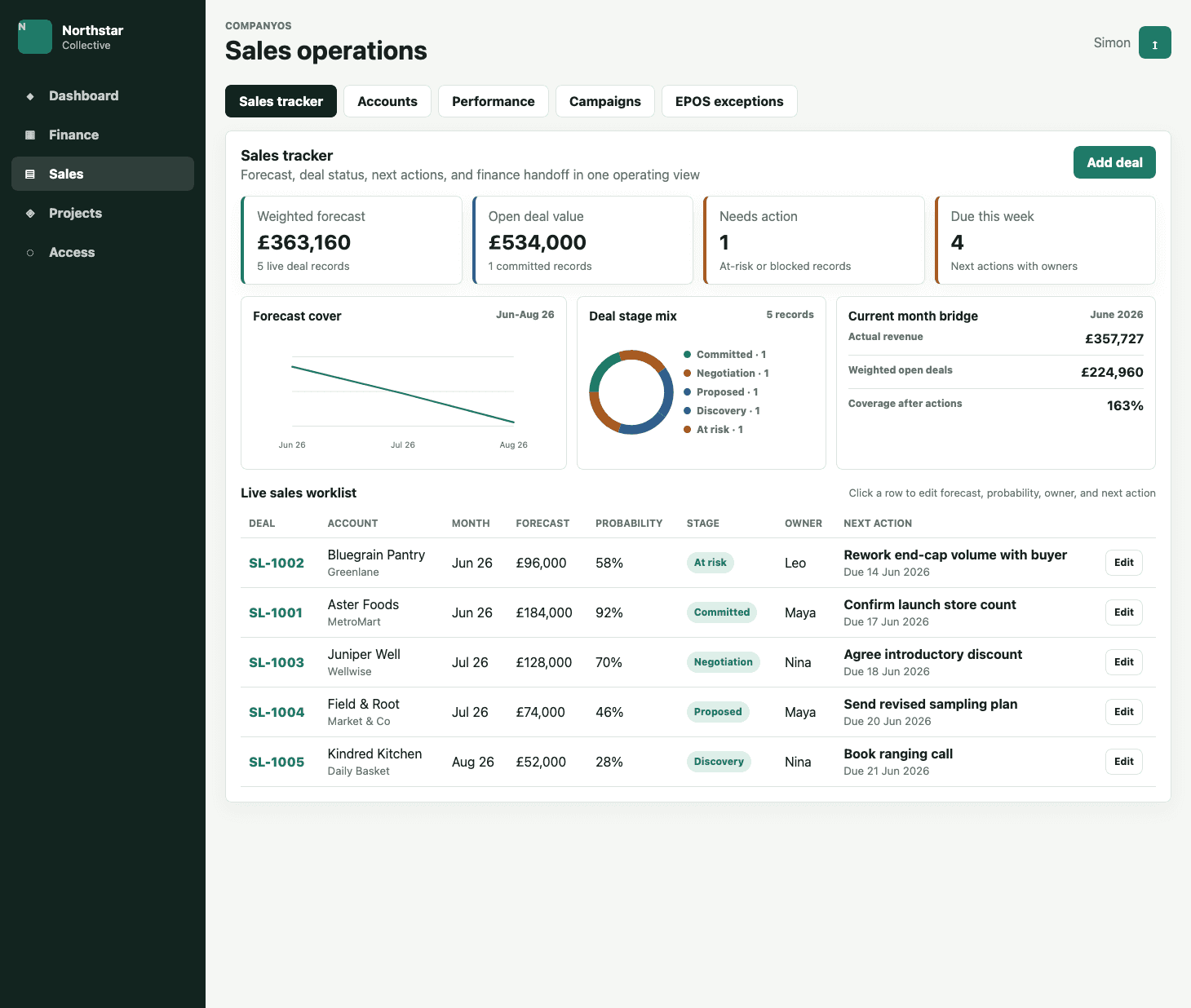
The team works from live records, owners, next actions, and handoffs rather than disconnected files.
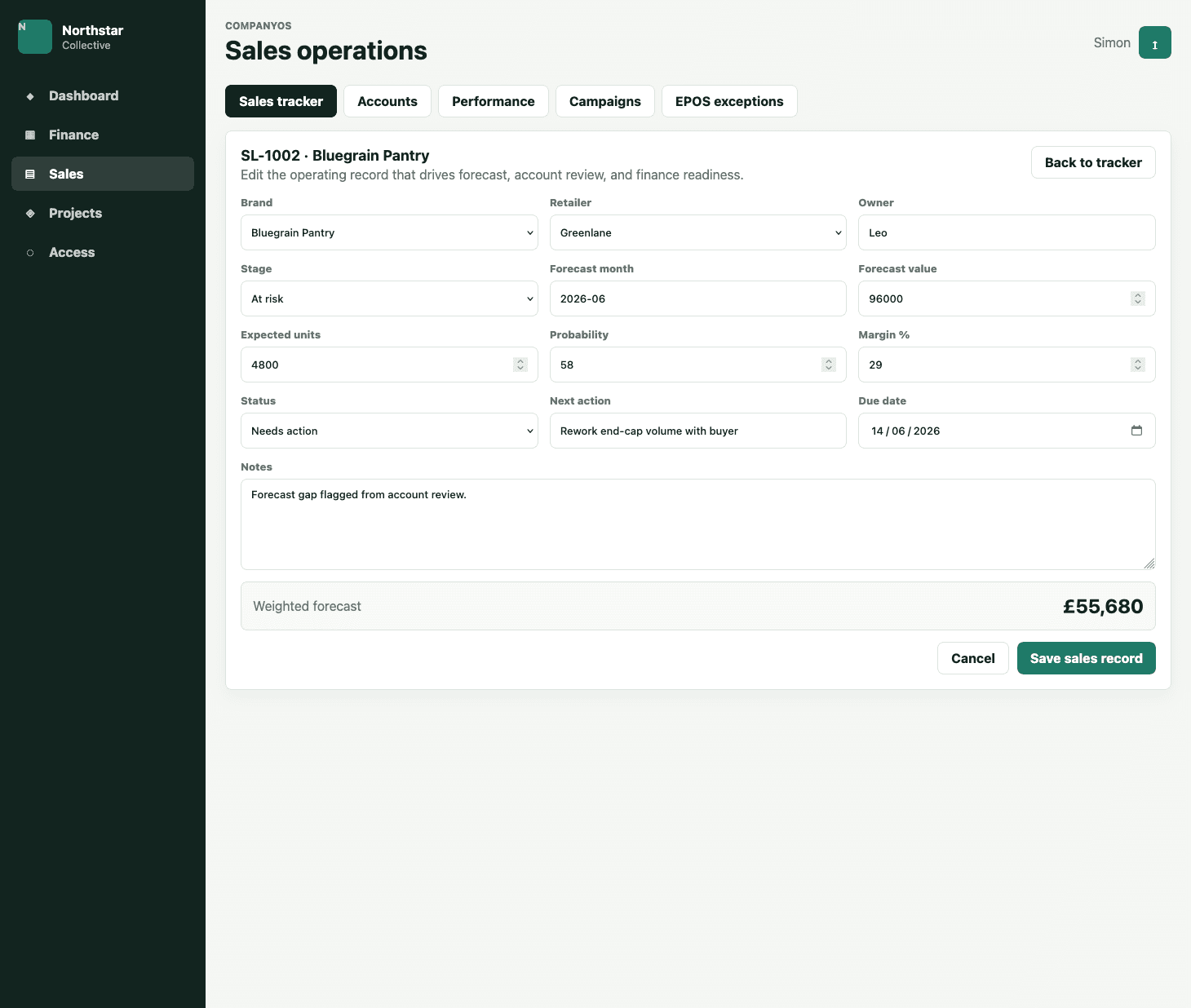
Each operational record has structure, ownership, status, and the fields needed for reporting.
The method
01
Map how the business really runs, where information breaks, and where time, margin, and confidence are being lost.
02
Define the operating layer: workflow, ownership, data model, reporting rhythm, integrations, and useful AI support.
03
Deliver a working Company OS around the real workflow, not a generic platform the business has to bend around.
04
Move the team onto the new way of working with training, adoption support, and clear ownership.
Where AI fits
A Company OS gives AI something dependable to work with: structured workflows, clear ownership, current records, and trusted reporting definitions. Then AI can help with summaries, exception alerts, checks, and preparation work people can verify.
See how Belscar applies Business AIWho it is for
The business has outgrown the spreadsheets that once worked well.
Reporting depends on manual reconciliation before leadership can trust it.
Sales, stock, orders, clients, margin, or projects are managed across disconnected tools.
Important handoffs fail when the person who knows the process is unavailable.
The team is at capacity because of admin, checking, and chasing.
FAQ